System Design / A beginner's guide
DNS, step by step.
Learn how the Domain Name System turns a name such as example.com into an IP address a computer can use.
See a DNS request and response
Click Start, then Next to watch the client first ask the DNS resolver for an IP address. After receiving it, the client sends a separate request directly to the web server.
1. DNS lookup
Press Start to start: the client will ask for the IP address.
2. Website request
Step 3 will begin after the client receives the IP address.
1. What is DNS?
DNS stands for Domain Name System. People use names such as example.com, while computers connect to services using IP addresses. DNS stores records that connect names to addresses.
DNS does not load the website itself. It helps the client discover where the web server is. After the client receives the IP address, it connects to that server to request the website.
2. How a lookup starts
When a user types example.com, the client asks for an IP address. The lookup checks local caches first. Only after those checks miss does the resolver continue through the DNS hierarchy.
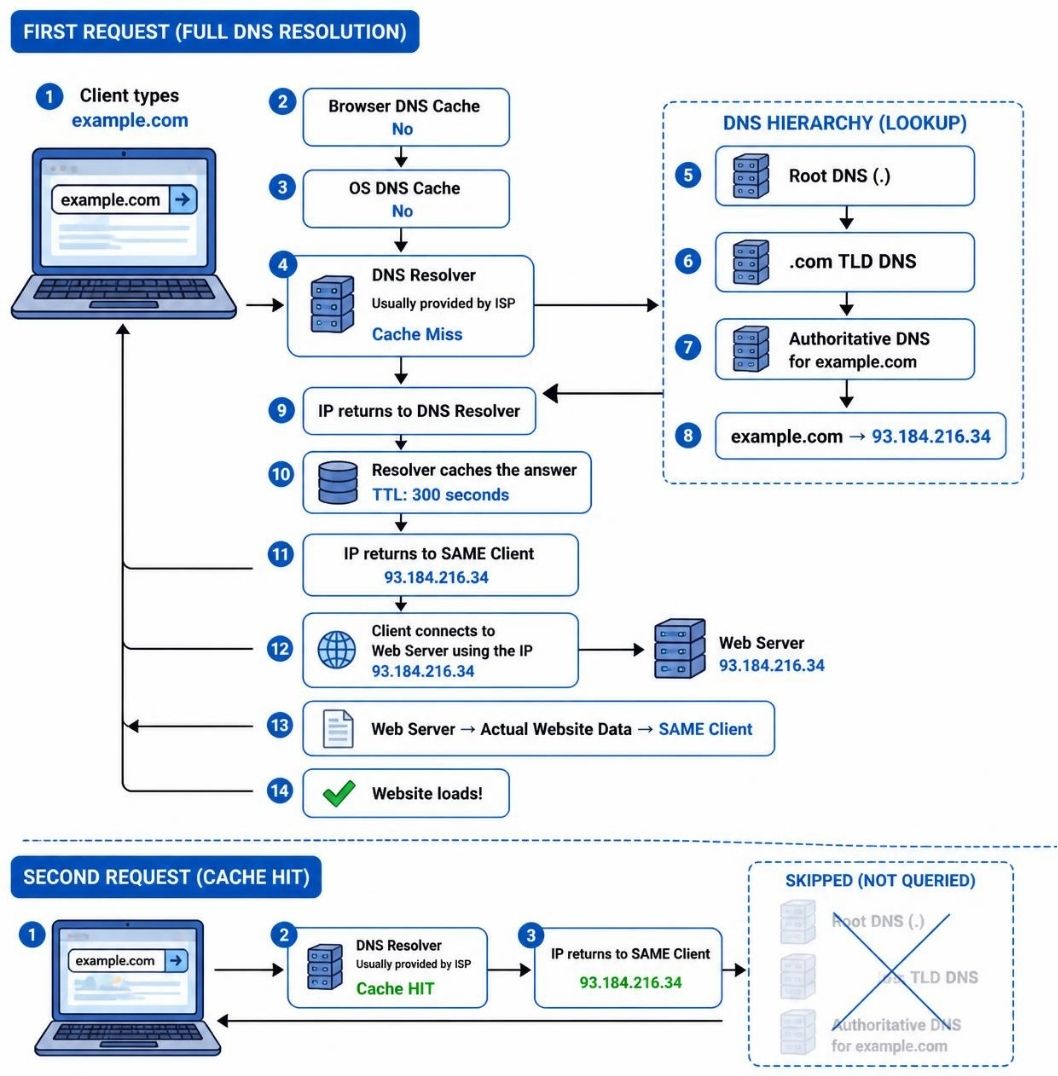
First lookup: all caches miss. The resolver queries each DNS server and receives its reply. Addresses here are illustrative.
3. DNS hierarchy
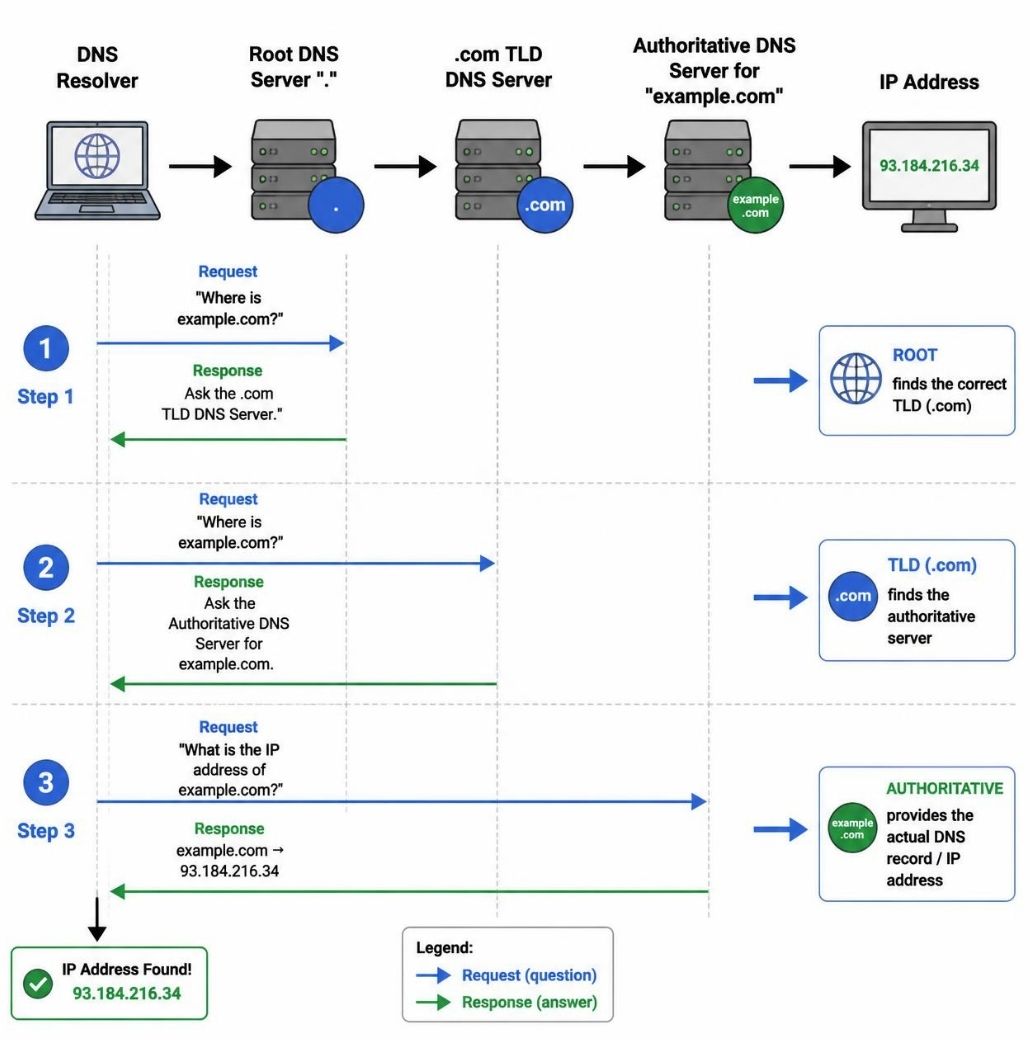
DNS is distributed. No single server stores every name. A resolver can ask several levels:
- Root DNS servers: direct the resolver to the correct top-level domain, such as
.com. - TLD DNS servers: direct the resolver to the authoritative server for a domain.
- Authoritative DNS servers: hold the actual records for the domain, such as the IP address for
example.com.
4. Resolver caching and TTL
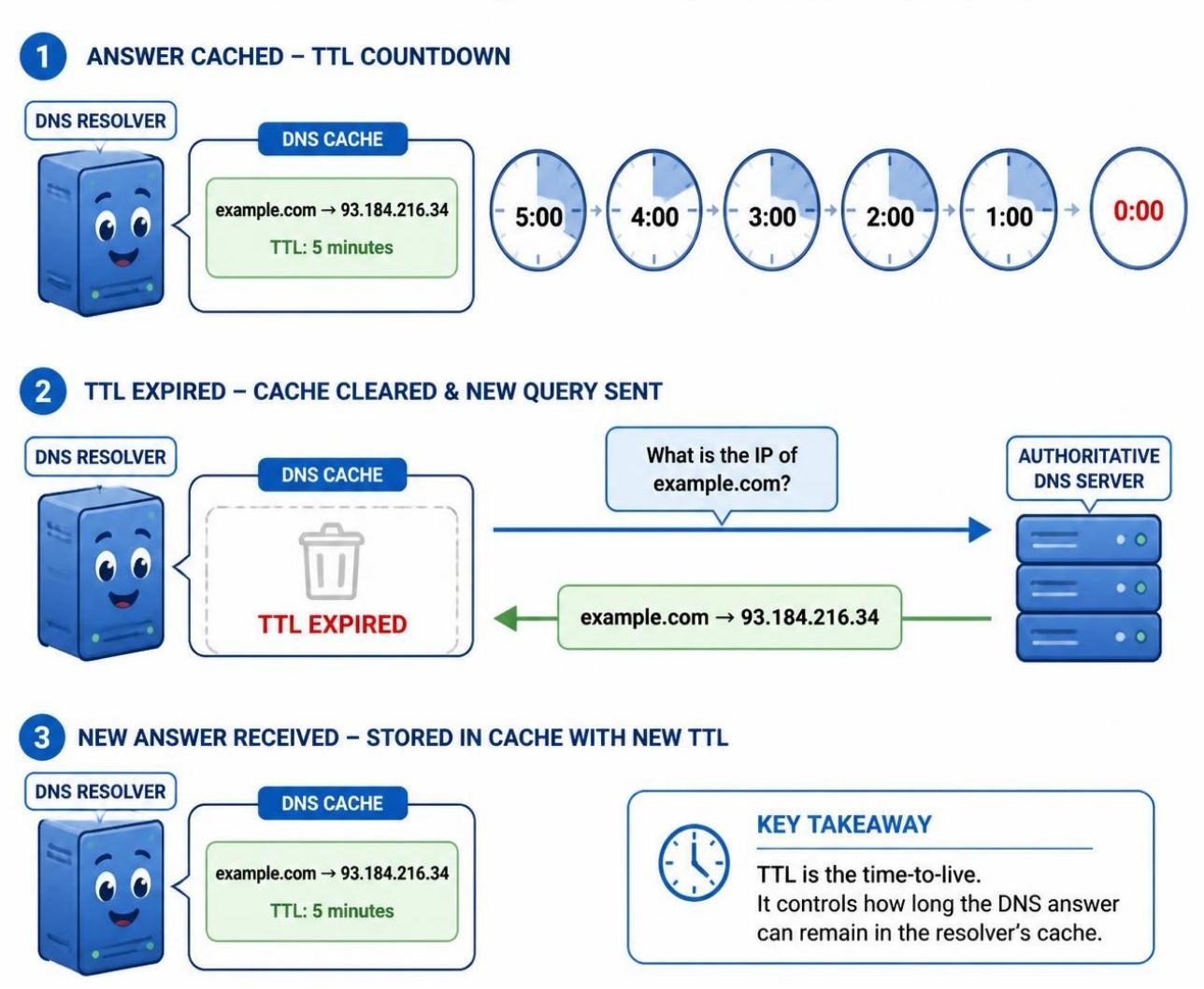
A resolver stores an answer for a limited time so it does not repeat the full lookup for every user. This time limit is the record's TTL, or time to live.
While the TTL is valid, a request can be answered from the resolver's cache. When the TTL reaches zero, the cached record expires and the resolver asks the authoritative server for a fresh answer.
5. Changing an IP address safely
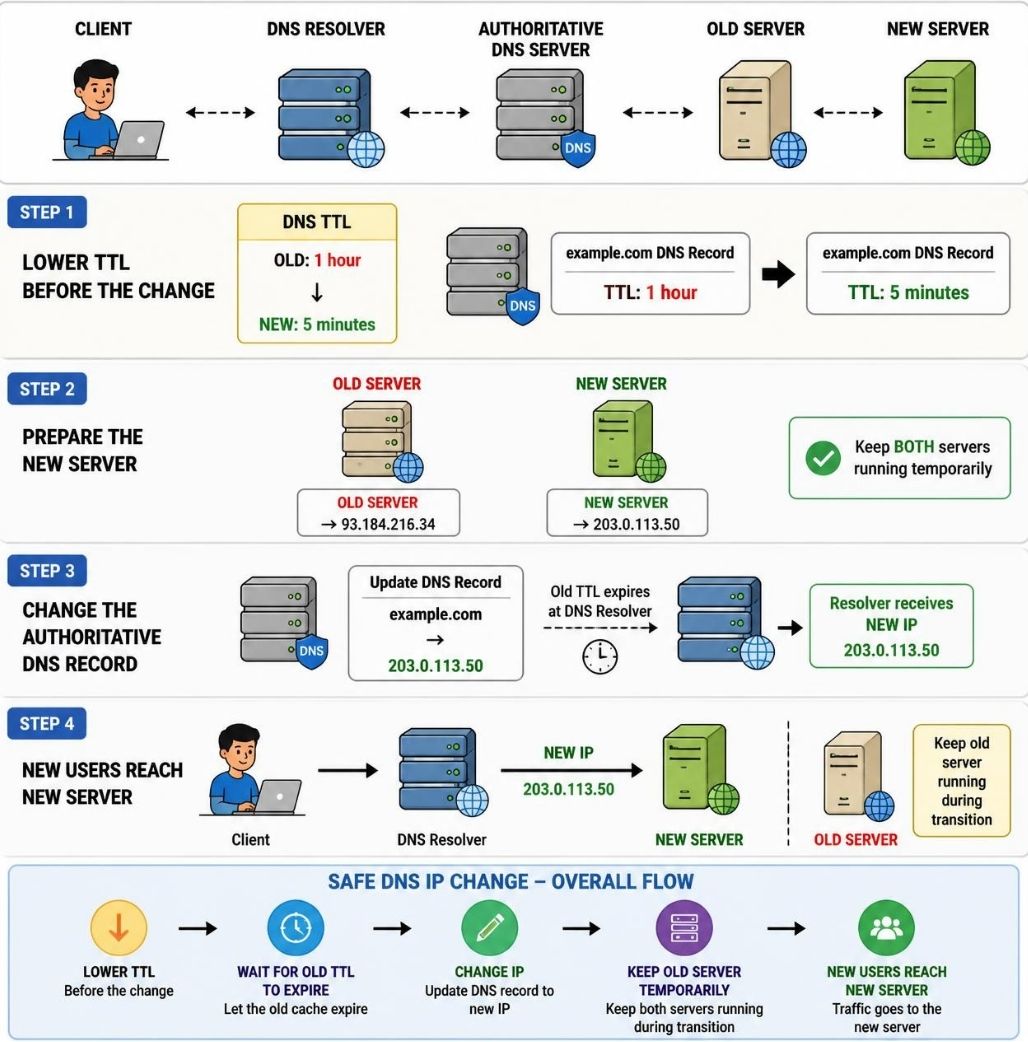
Suppose a website moves from an old server to a new server. Updating the authoritative record does not instantly replace every cached answer. Some resolvers may still hold the old IP until its TTL expires.
A safer migration lowers the TTL before the change, waits for the old TTL to expire, prepares the new server, updates the authoritative record, and keeps the old server running temporarily while caches refresh.
6. How DNS sends queries
Regular DNS queries commonly use UDP port 53 because it is lightweight and fast. DNS can also use TCP when a response is too large or when a connection-oriented exchange is needed.
The exact transport is separate from the lookup hierarchy: UDP or TCP carries the question and answer, while the resolver, root, TLD, and authoritative servers determine how the answer is found.
The illustrations on this page come from the local DNS teaching materials in the 12-DNS folder.