System Design / A beginner’s guide
Kafka, step by step.
Imagine a shared stream of events that many applications can read at their own pace.
1. What is Kafka?
Apache Kafka is open-source software and a distributed event-streaming platform. It lets applications publish events, store them durably, and let other applications read those events.
An event is a small record of something that happened: an order was placed, a payment completed, or a service changed its status. Kafka keeps these records in an ordered stream so consumers can process them when they are ready.
2. Why Kafka?
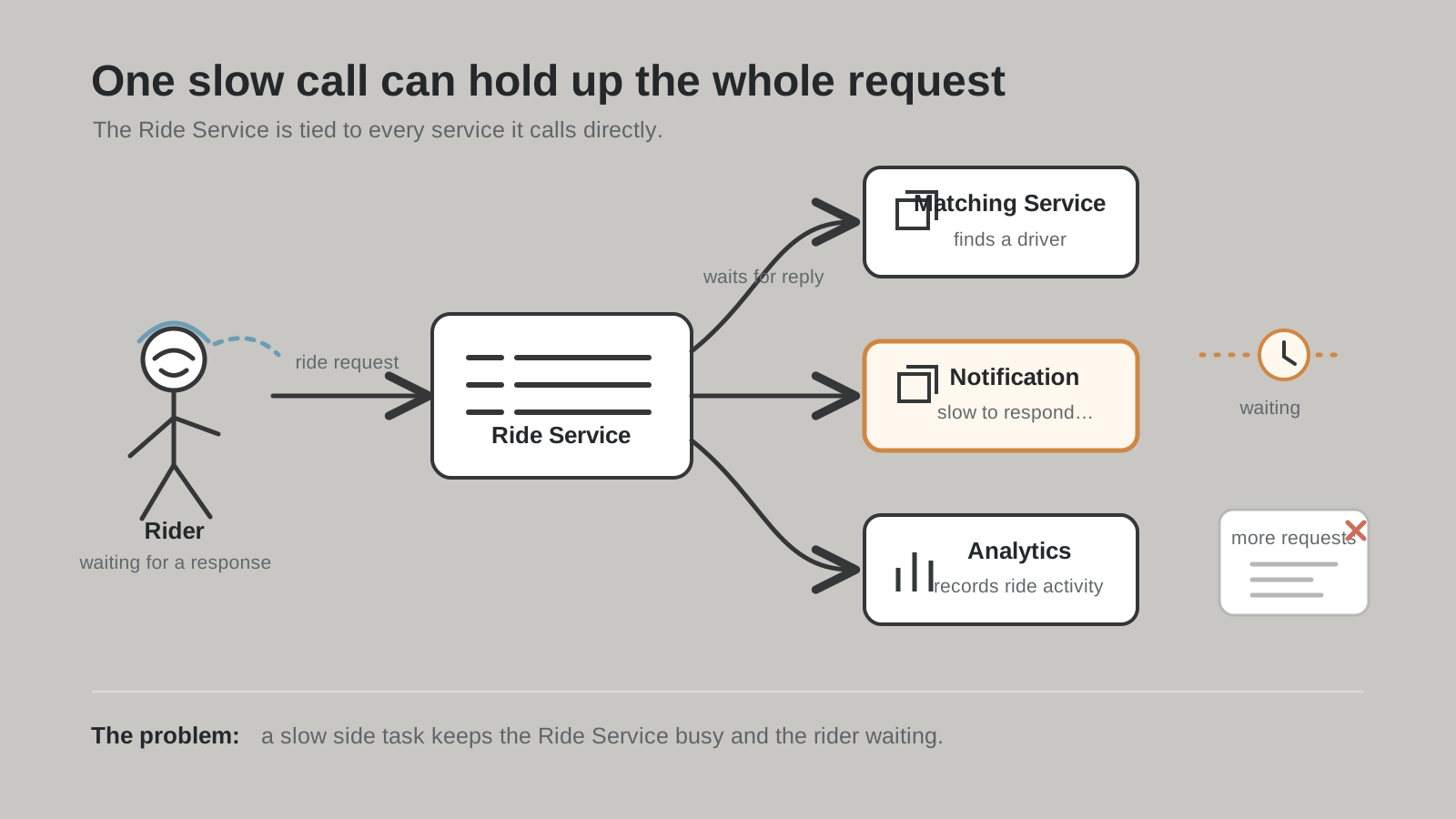
Without Kafka, one service may need to call several other services directly every time something happens. Those services become tightly connected: if one is slow or unavailable, the whole flow can be affected.
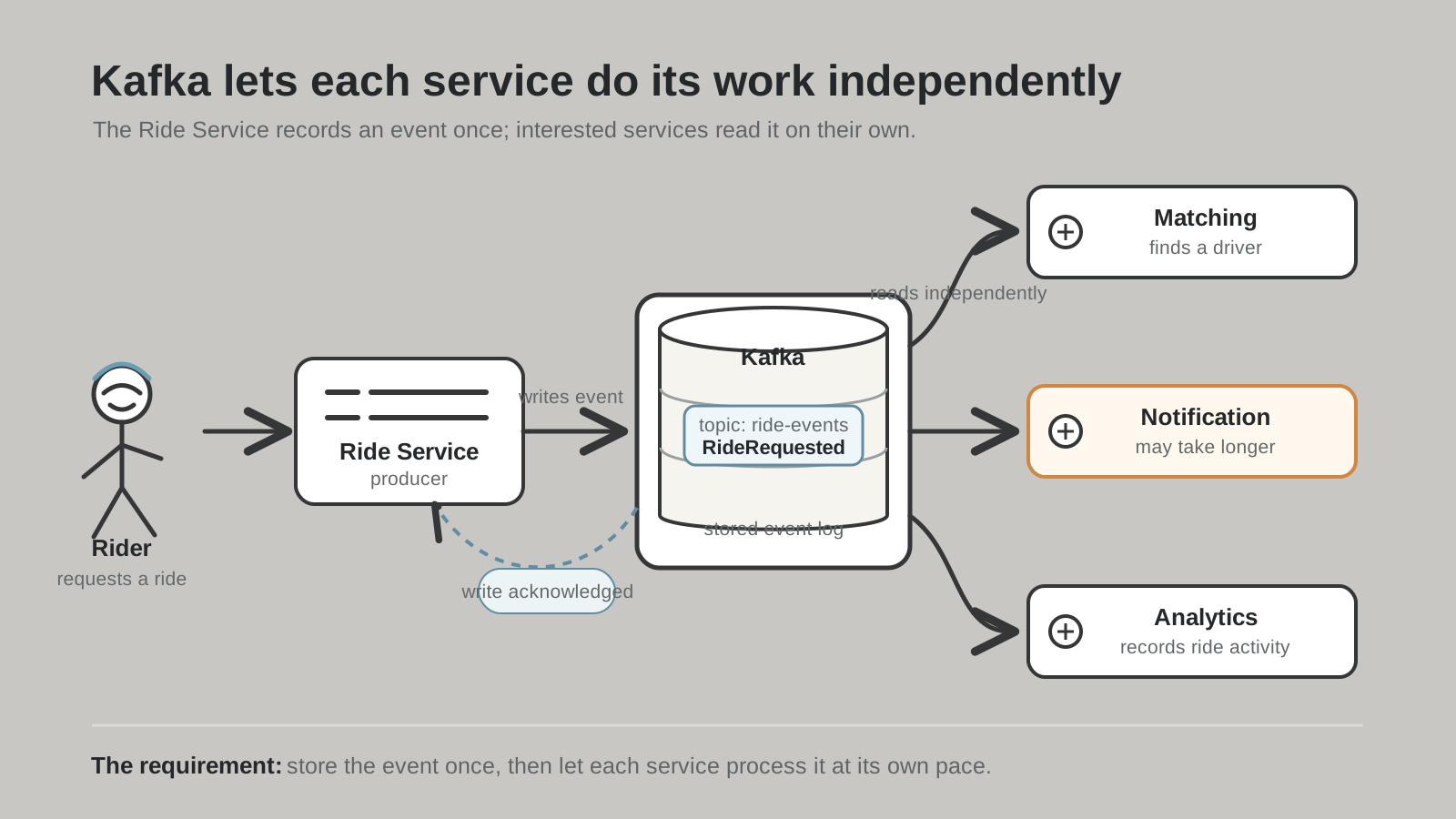
Kafka gives them a shared event stream. A producer can publish an event and continue, while each consumer reads and processes it independently.
A problem, then a requirement
See the difference
- Decoupling: producers do not need to know which services will consume an event.
- Durability: events are stored so a consumer can catch up after a restart.
- Replay: a consumer can read older events again when it needs to rebuild its state.
- Scale: partitions allow work to be spread across brokers and consumers.
- Multiple uses: different consumer groups can read the same events for different purposes.
3. The main Kafka parts
Producer
A producer sends events to Kafka. It chooses a topic and can provide a key so related events are sent to the same partition.
Topic
A topic is a named stream of events, such as orders or payments. Topics are divided into partitions.
Partition
A partition is an ordered, append-only log. Each event in a partition receives an offset. Kafka can process different partitions in parallel. Partitions belonging to one topic can be spread across different brokers, so the work is shared across servers. With fewer brokers than partitions, a broker can hold several partitions.
Broker
A broker is a Kafka server. A Kafka cluster has multiple brokers, and partitions are distributed across them. Each partition has one leader replica and may have follower replicas on other brokers. The followers copy the leader’s data and can take over after a failure.
Consumer
A consumer reads events from one or more topics and processes them. It controls its position by committing offsets.
Consumer groups
A consumer group is a set of consumers working together. Within one group, a partition is assigned to only one consumer at a time, so the work can be shared without duplicate processing inside that group.
If a consumer stops, Kafka reassigns its partitions to another consumer in the group. Adding consumers can increase parallel processing, but a group cannot actively use more consumers than the topic has partitions.
Different consumer groups can read the same topic independently. For example, an orders-service group can update orders while an analytics-service group reads the same events for reports.
4. How does Kafka work?
Think of Kafka as a set of durable notice boards. A producer writes an event to a topic. Kafka stores it, and consumers read it later. A consumer keeps an offset, which is its position in the topic. That lets it continue from where it stopped.
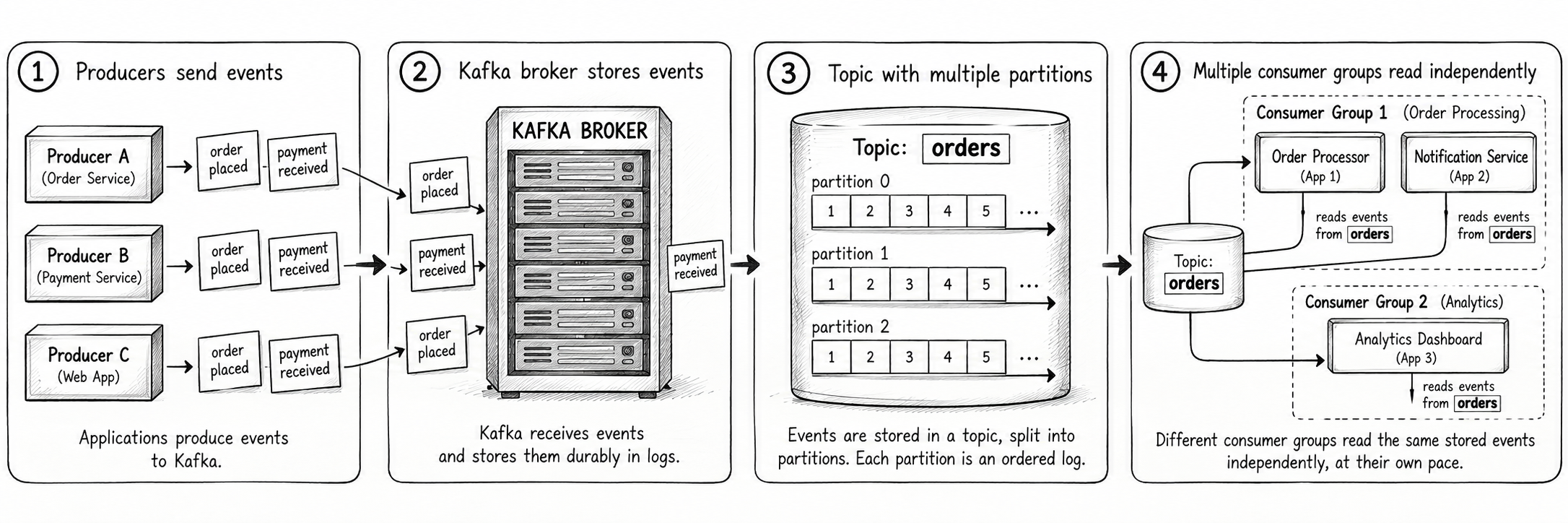
Kafka separates writing from reading. A slow consumer does not have to block a producer, as long as the event remains within the topic’s retention period.
Try it locallyRun Kafka with Docker →
Create a topic, produce events, and consume them from your terminal.
More system designRead the ZooKeeper guide →
Learn how distributed services coordinate shared state.